
Creating a productive home workspace is essential for anyone working or studying remotely. A well-designed environment can enhance your focus, reduce distractions, and improve your overall work experience. Whether you’re setting up a dedicated office room or just a small area in your living space, this guide offers practical tips to help you create a space that fosters productivity and comfort.
Choose the Right Location
Assess Lighting and Noise Levels
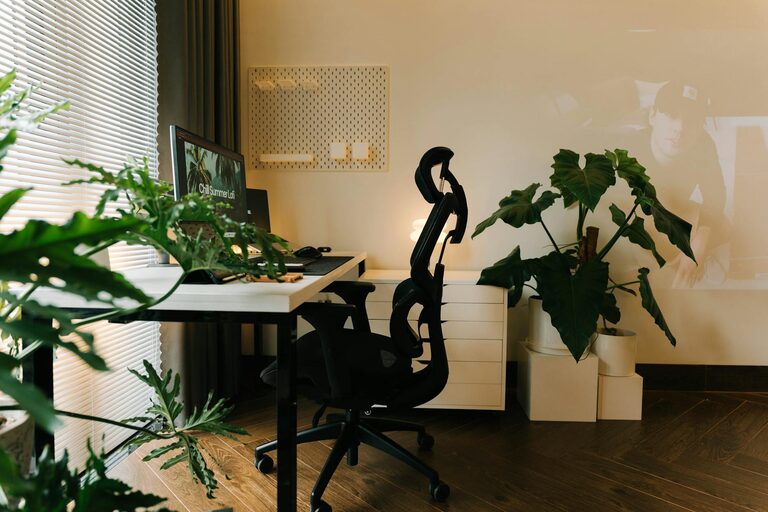
Pick a place in your home that has plenty of natural light if possible. Natural light helps reduce eye strain and increases alertness. Avoid spots that are noisy or frequently disrupted by household activities. If noise is inevitable, consider adding noise-cancelling headphones or soundproofing elements like rugs and curtains.
Consider Privacy
Try to find a space where you can work without interruptions from family members or roommates. Privacy helps maintain focus and professionalism during video calls and meetings.
Invest in Comfortable and Ergonomic Furniture
Chair and Desk
Your chair should support your lower back and allow you to sit upright comfortably. An adjustable chair is ideal to get the correct height and posture. Pair this with a desk at the right height so your arms rest comfortably without strain while typing or writing.
Monitor Placement
Place your monitor at eye level, about an arm’s length away. This setup helps prevent neck strain and encourages good posture. If you use a laptop, consider investing in a laptop stand and separate keyboard.
Organize Your Workspace Efficiently
Declutter Regularly
Keep only essential items on your desk. Clutter can be distracting and make it harder to find what you need quickly. Use desk organizers, trays, or small storage bins to keep supplies neat.
Use Shelving and Storage Solutions
Maximize vertical space with shelves or wall-mounted storage. This helps keep your desk surface clean and allows you to store documents and materials within easy reach.
Optimize Your Technology Setup
Reliable Internet and Equipment
Ensure you have a strong, reliable internet connection to avoid delays during work or online meetings. Keep your equipment—computer, printer, headphones—in good working condition and update software regularly.
Cable Management
Use cable ties, clips, or boxes to keep cords organized and out of the way. A tidy workspace minimizes distractions and potential accidents like tripping.
Personalize Your Space Without Overdoing It
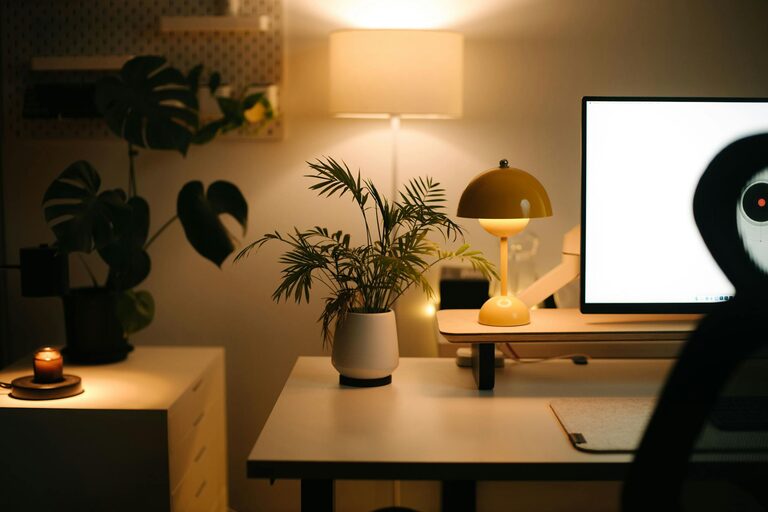
Add a few personal touches such as plants, artwork, or photos to make your workspace inviting and motivating. Plants can improve air quality and add a calming element. However, avoid excessive decorations that might create visual clutter.
Maintain Healthy Work Habits
Set Defined Work Hours
Establish boundaries by setting clear work times. This helps separate work from personal life, reducing stress and burnout.
Take Regular Breaks
Use techniques like the Pomodoro Technique (25-minute focused work sessions followed by 5-minute breaks) to maintain concentration and reduce fatigue. Stand, stretch, or take a brief walk during breaks to refresh your body and mind.
Keep Hydrated and Nourished
Keep a water bottle nearby and eat balanced meals to maintain energy levels.
Ensure Proper Ventilation and Temperature
Good air quality is important for comfort and concentration. Open windows when possible or use an air purifier. Adjust room temperature to a comfortable level, as being too hot or cold can affect focus.
Maintain Good Lighting for All Day Work
In addition to natural light, have adjustable artificial lighting. Use desk lamps with soft light to prevent glare and eye strain, especially in the evening or on cloudy days.
—
Creating a productive home workspace is about combining comfort, organization, and motivation. By following these tips, you can make your home office not just a place to work, but a space where you thrive every day. Remember that small changes can make a big difference in your productivity and well-being. Happy working!