
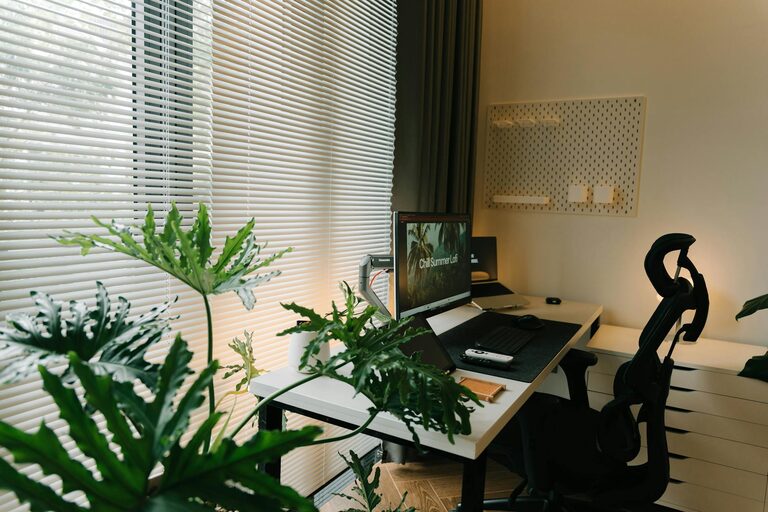
Creating a home workspace that is both relaxing and productive can greatly enhance your daily comfort and efficiency. With more people working from home, having a dedicated area that supports focus and reduces stress is essential. In this post, we’ll explore practical tips to help you design a workspace that balances comfort with productivity.
Choose the Right Location
Selecting the perfect spot for your workspace sets the foundation for your productivity and relaxation.
– Quiet and Private: Find a corner or room away from heavy foot traffic and noise to minimize distractions.
– Natural Light: Position your desk near a window to benefit from daylight, which can improve mood and alertness.
– Ventilation: Good airflow keeps the area fresh, helping you stay focused and comfortable.
Invest in Ergonomic Furniture
Comfort is crucial when you spend long hours working, so choose furniture that supports good posture.
– Ergonomic Chair: Opt for a chair with adjustable height, lumbar support, and comfortable cushioning.
– Proper Desk Height: Your desk should allow your arms to rest comfortably at a 90-degree angle.
– Footrest: If your feet don’t reach the floor naturally, a footrest can reduce strain on your legs.
Keep Your Workspace Organized
An organized space encourages a clearer mind and smoother workflow.
– Declutter Regularly: Remove unnecessary items to keep your desk clean.
– Storage Solutions: Use shelves, drawers, or filing cabinets to keep documents and supplies within reach but out of the way.
– Cable Management: Use clips or sleeves to keep cords tidy and prevent tangling.
Personalize Without Overcrowding
Adding personal touches can make your workspace inviting, but avoid too much clutter.
– Plants: Small indoor plants add life and improve air quality.
– Artwork or Photos: Display a few pieces that inspire or relax you.
– Comfort Items: A cozy throw or stress-relief tools like stress balls can be useful.
Establish Good Lighting
Proper lighting reduces eye strain and sets a pleasant ambiance.
– Task Lighting: Use a desk lamp with adjustable brightness for focused work.
– Avoid Glare: Position monitors to avoid reflection from windows or lights.
– Soft Ambient Lighting: Consider warm lights to create a relaxing atmosphere when not working intensely.
Create Boundaries Between Work and Relaxation
Separating work time from relaxation helps maintain balance and productivity.
– Set Specific Work Hours: Define when your workday starts and ends.
– Use Physical Barriers: Close doors or use room dividers to separate your workspace from living areas.
– Clear Workspace After Hours: Tidy your desk at the end of the day to signal that work is done.
Incorporate Movement Breaks
Staying in one position for too long can hamper productivity and comfort.
– Stretch Often: Incorporate short stretches every hour to ease muscle tension.
– Take Walks: Step away from your desk during breaks to refresh your mind.
– Use a Standing Desk: Consider alternating between sitting and standing.
Minimize Digital Distractions
Stay focused by managing the digital environment around you.
– Turn Off Notifications: Silence non-essential alerts during work periods.
– Use Productivity Apps: Tools like timers or blockers can help maintain concentration.
– Organize Desktop: Keep your computer desktop clean and files organized for easy access.
Keep Hydrated and Nourished
Taking care of your body supports mental clarity and energy.
– Water Bottle: Keep water nearby to encourage regular hydration.
– Healthy Snacks: Choose nutritious options to avoid energy slumps.
Maintain a Comfortable Temperature
Room temperature affects comfort and focus.
– Adjust Thermostat: Keep the workspace at a comfortable temperature, usually between 68-72°F (20-22°C).
– Use Fans or Heaters: Supplement as needed to maintain comfort.
—
By thoughtfully setting up your home workspace with these tips, you can create an environment where you feel relaxed and motivated. Remember, small adjustments over time can lead to improved focus and well-being in your daily routine.